Finding the Perfect Professional Media Room in Roseville, MN
Why Professional Media Rooms Matter for Roseville Businesses
Commercial media rooms in Roseville, MN are changing how local businesses communicate, collaborate, and connect with clients. Whether you're hosting remote team meetings, delivering impactful client presentations, or conducting internal training sessions, a dedicated media room equipped with professional-grade technology creates an immersive experience that standard conference rooms simply can't match. In a business environment increasingly shaped by hybrid work models and the need for seamless collaboration, having a space designed specifically for high-quality audio-visual interaction isn't just nice to have—it's essential.
Quick Guide to Commercial Media Rooms in Roseville:
- What They Are: Multi-use spaces combining home theater-style comfort with professional AV equipment for presentations, training, and collaboration
- Key Components: High-definition displays, surround sound systems, universal control systems, structured wiring, and reliable connectivity
- Primary Uses: Client meetings, remote collaboration, video conferencing, internal training, and presentations
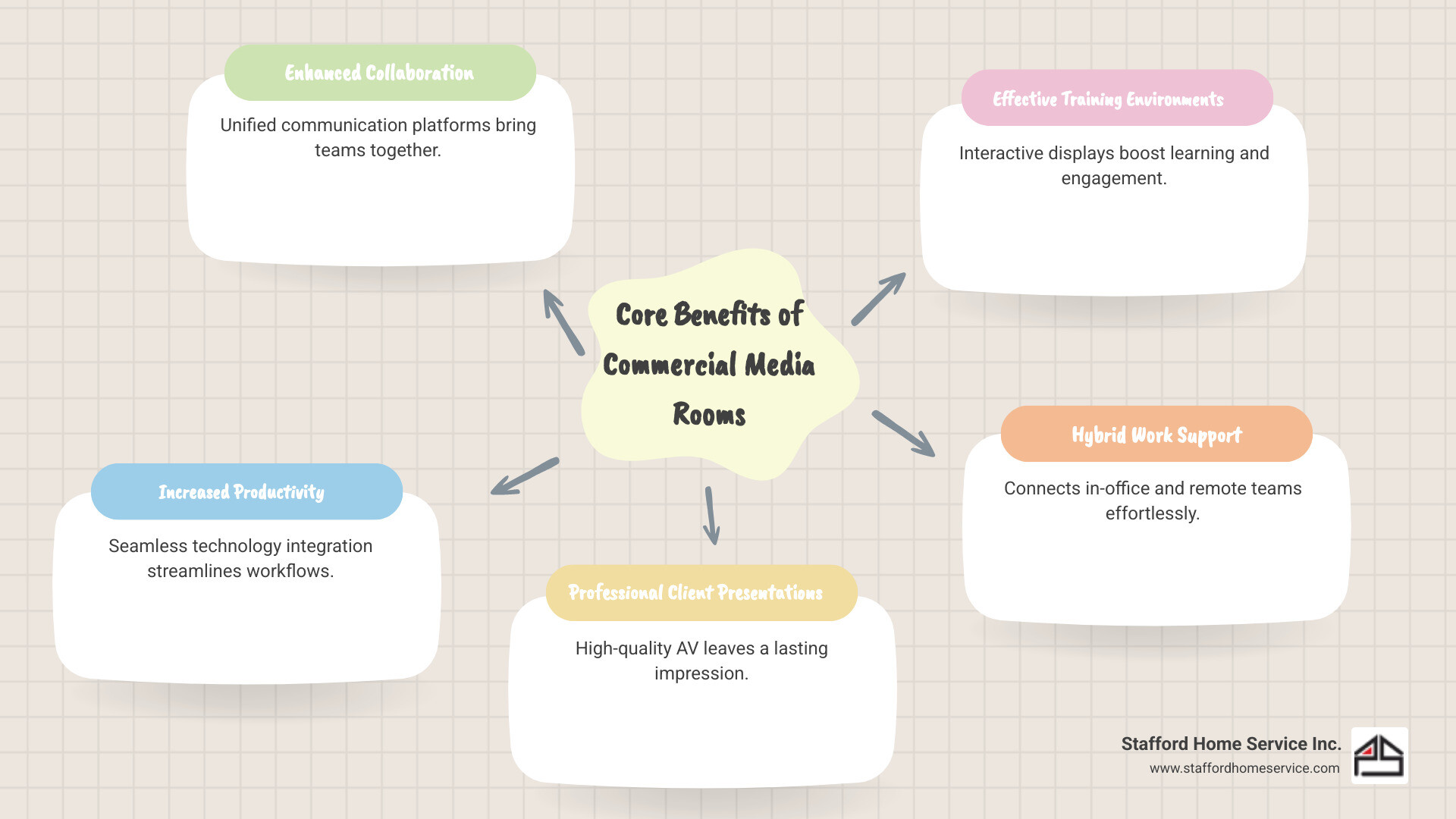
- Main Benefits: Improved productivity, improved collaboration, professional client experiences, and support for hybrid work environments
Roseville sits at the heart of the Twin Cities' vibrant business community, home to companies across finance, real estate, healthcare, and technology sectors. As these organizations steer the demands of modern work—connecting in-office teams with remote employees, impressing clients with polished presentations, and maintaining company culture across distributed teams—a well-designed media room becomes a strategic asset that directly impacts business success.
What This Guide Covers
In this comprehensive guide, we'll dive deep into commercial media rooms in Roseville, MN. We will start by defining what truly makes a professional media room, then explore its key technology components that power modern business operations. We'll uncover the myriad business benefits and common use cases that make these rooms indispensable, discuss the critical setup considerations for businesses in Roseville, and even peek into future technology trends. Our goal is to provide you with all the insights you need to understand, plan, and implement a cutting-edge media room solution that lifts your business.
The Anatomy of a Modern Professional Media Room
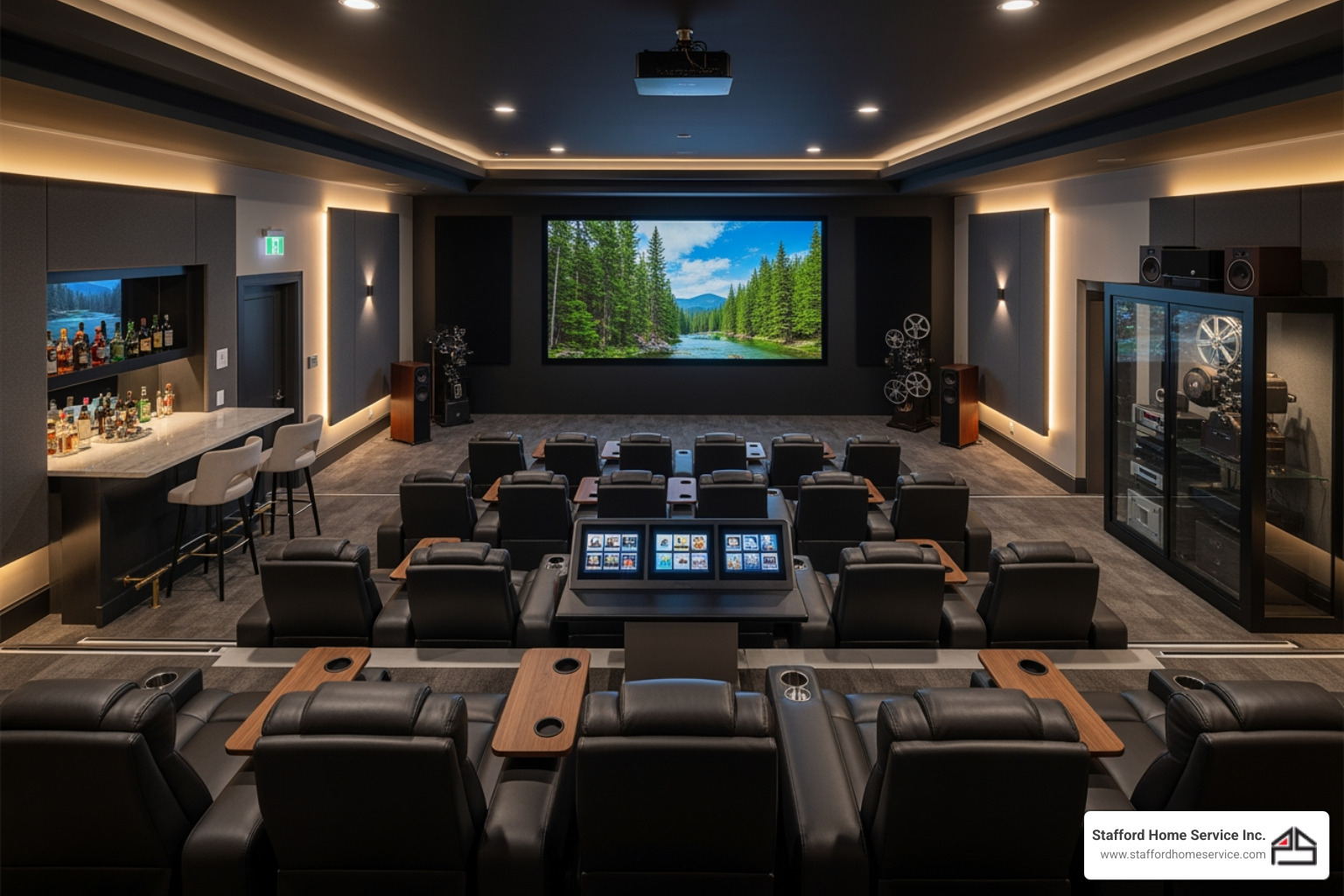
At its core, a professional media room is a carefully designed space where high-quality audio, high-definition video, seamless control systems, and reliable connectivity converge to create an unparalleled communication and presentation environment. Think beyond a simple conference room with a projector; this is a space engineered for impact.
Essential Video and Display Technology
The visual experience is paramount in any media room. For businesses in Roseville, this means incorporating state-of-the-art displays that deliver crystal-clear images and vibrant colors.
- High-Definition Flat Panel Displays: These are the workhorses of modern media rooms. Whether you opt for 4K or even 8K resolution, large flat panel displays provide stunning clarity for presentations, video conferences, and digital content.
- LED Displays: For larger venues or a truly impactful visual statement, LED displays offer superior brightness, contrast, and longevity. They can be configured into seamless video walls, perfect for creating dynamic backdrops or multi-content displays.
- Interactive Digital Signage: Beyond passive viewing, interactive digital signage can transform a media room into a dynamic, engaging environment. Imagine interactive whiteboards for brainstorming, touch-enabled displays for client presentations, or digital kiosks for information dissemination. These tools foster engagement and collaboration.
- Projectors and Screens: While flat panels dominate, high-quality projectors and retractable screens still have their place, especially in larger rooms where a truly cinematic scale is desired. Modern projectors offer impressive brightness and resolution, making them viable for detailed visual content.
Immersive Audio and Sound Systems
What good is a stunning visual without equally impressive audio? An immersive audio experience is crucial for clear communication, whether it is a critical client call or an internal training session.
- Surround Sound Systems: For presentations, training videos, or even just setting an atmosphere, a well-designed surround sound system helps ensure that every participant hears clearly, regardless of where they are seated.
- Amplification: Proper amplification helps audio distribute evenly and clearly throughout the room, preventing muffled sounds or uncomfortable volume spikes.
- Soundproofing: This is often overlooked but vital. Effective soundproofing helps prevent external noise from disrupting your media room activities and supports privacy for sensitive conversations.
- Acoustic Treatments: Beyond soundproofing, acoustic treatments like panels and diffusers help manage sound reflections within the room, reducing echoes and improving speech intelligibility. This is especially important for video conferencing.
- High-Quality Microphones for Conferencing: Clear audio input is just as important as output. Professional-grade microphones, strategically placed, help ensure that every speaker is heard clearly by remote participants, eliminating frustration and supporting fluid communication.
Unified Control and Connectivity
The usefulness of a modern media room depends on effortless operation. No one wants to fumble with multiple remotes or struggle with connectivity when a client is waiting.
- Universal Control Systems: All AV equipment, lighting, and even climate can be managed from a single, intuitive interface. Universal control systems simplify complex setups, allowing for seamless transitions between different functions.
- Structured Wiring: The backbone of any reliable media room is its wiring. Structured wiring helps ensure that all audio, video, data, and power cables are neatly organized, properly shielded, and easily accessible for maintenance or upgrades. This is essential for helping prevent signal interference and supporting consistent performance.
- Wi-Fi and Internet Access: High-speed, reliable internet access is non-negotiable. With businesses relying heavily on cloud-based applications, video conferencing, and streaming content, robust Wi-Fi and wired internet connections are critical.
- Integration with Collaboration Platforms: Modern media rooms are built to integrate with leading collaboration platforms so businesses can launch meetings, share content, and collaborate with ease, regardless of the platform their partners or clients use.
- List of Common Collaboration Platforms:
- Zoom Rooms
- Microsoft Teams
- Google Meet
- Cisco Webex Meetings and Teams
Enhancing Business Operations in Roseville
Investing in commercial media rooms in Roseville, MN is not just about having advanced technology; it is a strategic move to support productivity, improve collaboration, and lift your business's professional image.
Common Use Cases for Commercial Media Rooms in Roseville, MN
The versatility of a media room makes it a powerful asset for a wide array of business activities.
- Client Meetings and Pitches: Deliver dynamic presentations on large, high-definition displays, supported by clear audio. A professional media room provides an environment that exudes confidence and sophistication, helping you make a strong impression.
- Internal Training and Seminars: Transform your training sessions from mundane to memorable. Media rooms are ideal for delivering engaging content, facilitating interactive workshops, and even recording sessions for future use.
- Remote and Hybrid Team Collaboration: Many businesses have distributed teams. A media room acts as a central hub, allowing in-office teams to connect with remote colleagues, fostering a sense of unity and shared purpose.
- Video Conferencing: High-quality video conferencing is at the heart of many media rooms. With dedicated cameras, microphones, and integrated platforms, businesses can conduct virtual meetings with clarity and reliability, making remote interactions feel as close to in-person as possible.
Supporting the Modern Hybrid Work Environment
The rise of hybrid work means that businesses need spaces that can bridge the gap between physical and virtual presence. Commercial media rooms in Roseville, MN are well suited to support this reality.
- Connecting In-Office and Remote Employees: A media room helps remote participants avoid feeling like second-class citizens in meetings. High-quality audio-visual feeds help them feel present and engaged, supporting equitable participation.
- HyFlex Learning Environments: For businesses that offer training or educational programs, a media room can be configured as a HyFlex (hybrid-flexible) learning environment, allowing participants to join in-person or remotely, with access to content and interaction.
- Real-Time Global Collaboration: With advanced AV and collaboration tools, Roseville businesses can conduct real-time meetings with partners, clients, or team members across different time zones, supporting quick decisions and helping keep projects on track.
- Reducing Travel Needs: By supporting a strong virtual meeting experience, media rooms can help reduce the need for some business travel, saving time and resources.
- Fostering Company Culture: Regular, high-quality virtual interactions through a media room can support company culture and team cohesion, even when employees are physically dispersed. It creates a space where ideas can be shared, successes celebrated, and connections strengthened.
Key Considerations for Setting Up Commercial Media Rooms in Roseville, MN
Setting up a media room is more than just buying equipment; it involves thoughtful planning and consideration of the physical space.
- Room Acoustics: Acoustics are vital for audio clarity. This involves analyzing the room's shape, materials, and potential noise sources. Proper acoustic treatment can help transform a noisy echo chamber into a more intelligible space.
- Lighting Control: Lighting impacts both visual comfort and camera performance. Dimmable lights, blackout blinds, and strategic placement of fixtures can help optimize the environment for presentations, video calls, or film viewing.
- HVAC and Ventilation: High-tech equipment generates heat, and a room full of people needs adequate ventilation. An efficient HVAC system is crucial to help maintain a comfortable temperature and air quality, supporting both equipment and occupant comfort.
- Electrical Requirements: Media rooms typically house a significant amount of electronic equipment, requiring dedicated power circuits and surge protection. Proper electrical planning is important for safety and system reliability.
- Scalability for Future Technology: Technology evolves rapidly. A well-designed media room should be scalable, allowing for upgrades and integration of new technologies without a complete overhaul. This future-ready approach helps the space stay useful longer.
Defining a Commercial Media Room in Roseville, MN
So, what exactly defines a commercial media room in Roseville, MN? It is a highly versatile, multi-purpose space designed to deliver an engaging audio-visual experience custom for business needs.
- Multi-Use Space: Unlike a single-purpose home theater, a commercial media room is flexible. It can move from a high-stakes client presentation to a collaborative team brainstorming session, and even serve as an engaging training facility.
- Home Theater Capabilities: While commercial, these rooms often draw on best practices from home theater design, incorporating elements like high-definition displays, surround sound, and comfortable seating to create an immersive experience.
- Gaming and Entertainment: While the primary focus is business, a flexible media room can also accommodate team-building events or client entertainment, supporting high-quality gaming or entertainment experiences.
- Flexible Design: The design should be adaptable. Movable furniture, configurable display setups, and versatile lighting allow the room to change its function to suit various business needs.
- Professional-Grade Equipment: From the displays and sound systems to the control interfaces and connectivity, every component is chosen for reliability, performance, and the ability to meet the demands of a professional business environment.
The Importance of Professional Design and Installation
You would not trust your business's finances to an amateur, so it makes sense to give the same level of attention to your communication infrastructure.
- Integrating Complex Components: Modern media rooms are intricate systems with numerous interconnected components. Professional integrators have the expertise to help ensure all these elements work together harmoniously, reducing compatibility issues and performance bottlenecks.
- Ensuring System Reliability: Downtime interrupts work. A professionally installed system is built with reliability in mind, with robust components and careful wiring that help minimize the risk of technical glitches during crucial moments.
- Optimizing User Experience: A powerful system is much more useful when it is simple to operate. Professionals design intuitive control interfaces that make it easy for anyone to use the media room's capabilities, supporting a smooth and stress-free experience.
- Future-Proofing the Installation: Technology evolves. A thoughtful approach to design and installation includes considerations for future upgrades, helping your investment remain relevant and valuable for years to come. Structured wiring for easy streaming and internet access is foundational for this future adaptability.
Frequently Asked Questions about Professional Media Rooms
Many businesses considering a media room ask similar questions. Here are some of the most common inquiries.
How is a media room different from a standard conference room?
A media room emphasizes a high-quality, immersive audio-visual experience with integrated technology for multiple uses like presentations, entertainment, and advanced collaboration, whereas a standard conference room may have more basic AV equipment. A conference room is generally for conversation, while a media room is designed for experiencing content with maximum impact, encouraging deeper engagement and clearer communication. It is also built for flexibility, so it can adapt to various needs, from a high-definition video conference to a dynamic product launch.
What are the first steps to planning a commercial media room?
The first steps involve defining the primary uses for the space, establishing a budget, assessing the physical room for acoustics and lighting, and consulting with an AV integration expert to design a system that meets your specific needs. Start by envisioning how you will use the room most often. Will it be primarily for client pitches, internal training, or remote collaboration? This clarity will guide equipment choices. Next, consider your budget, then have a professional evaluate your chosen space. They can identify potential challenges and opportunities regarding sound, light, and power, helping you plan effectively.
Can an existing room be converted into a professional media room?
Yes, many existing office or home spaces can be retrofitted. A professional assessment is helpful to address challenges like acoustics, lighting, wiring, and ventilation to support a successful conversion. With the right expertise, even a standard office can be transformed. A team can evaluate your current space, identify recommended modifications, and design a system that leverages existing infrastructure while integrating new, high-performance components.
Your Partner for a Professional-Grade Media Experience
A well-designed media room transforms how you communicate and collaborate, offering a dynamic environment that supports productivity and leaves a lasting impression. Investing in quality components and professional installation helps ensure a seamless, reliable, and future-ready system that serves your business needs for years to come.
Stafford Heating, Cooling, Plumbing & Electrical understands the specific demands of creating sophisticated, multi-use spaces. The team has the expertise to design and install entertainment and media systems that meet the rigorous demands of professional use, helping provide clarity, reliability, and ease of use. Let Stafford Heating, Cooling, Plumbing & Electrical help you create an environment where your business can truly thrive.
Contact us for your Roseville, MN home entertainment needs and find how a professional media room can lift your operations.
Customer Testimonials
Our customers consistently praise our knowledgeable technicians, prompt service, and the lasting quality of the work we deliver.